Nano Banana Edit: AI Image Editor Online
Bottom line
Google's Nano Banana Edit: up to 10 reference images per edit, ten aspect ratios, 5 credits a run. Open the Image Edit tool, select Nano Banana Edit, upload your image, and the exact credit cost appears before the edit runs.
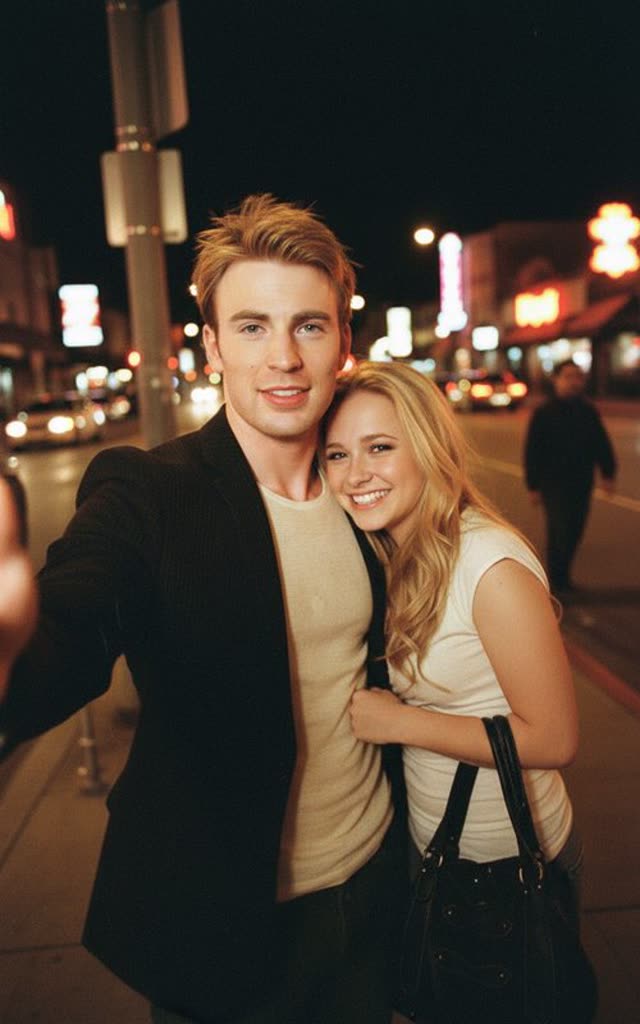
Nano Banana started as a codename and became shorthand for Google's image editing model — one of the most talked-about editing releases of its generation, known especially for keeping faces and subjects consistent across edits. On VdoBloom it runs as Nano Banana Edit, and its defining capability is reference depth: a single edit can draw on up to 10 input images, so you can combine a subject from one photo, a garment from another, and a setting from a third in one instruction.
That multi-reference workflow is what separates it from single-image editors. Character-consistency work — putting the same person into new scenes, outfits, or lighting — is the use case it became known for, and product compositing benefits the same way. It supports ten aspect ratios — 1:1, 2:3, 3:2, 3:4, 4:3, 4:5, 5:4, 9:16, 16:9, and 21:9 — including the 4:5 and 5:4 formats social feeds favor.
One trade-off to know upfront: it carries a STRICT content label, meaning Google's provider-side filters apply in full. It rates 4.2 with users, and each edit costs a flat 5 credits regardless of how many reference images or which aspect ratio you use.
What it costs on VdoBloom
Nano Banana Edit is flat-priced at 5 credits per edit — neither the number of reference images (1 to 10) nor the aspect ratio changes the cost. That makes multi-image compositing no more expensive than a single-image tweak, which is unusual among reference-heavy editors on the platform.
Common problems and how to avoid them
The most frequent complaint about Nano Banana as a family is inconsistent adherence to instructions — an edit that changes more of the image than asked, or a reference image whose likeness drifts. That's a general limitation of instruction-following image editors, not something specific to VdoBloom's integration. The practical mitigation is to be explicit about what should NOT change ("keep the background, lighting, and pose identical") rather than only describing what should. Because each edit is a flat 5 credits and failed generations are refunded automatically, it's inexpensive to retry with a more constrained prompt rather than accept a drifted result.
What creators use Nano Banana Edit for
- Character-consistency edits — placing the same person or mascot into new scenes and outfits using multiple reference photos.
- Product compositing that merges up to 10 references — item, model, backdrop — into a single finished visual.
- Feed-ready output in 4:5 and 5:4, portrait formats most editing models skip, without post-crop quality loss.
- Low-cost iteration at a flat 5 credits per edit regardless of complexity.
How to use Nano Banana Edit on VdoBloom
- 1Open the Image Edit tool and select Nano Banana Edit.
- 2Upload the image(s) to edit and describe the change you want.
- 3Review the credit cost and generate — results appear in your library.
Frequently asked questions
How much does Nano Banana Edit cost?
A flat 5 credits per edit on VdoBloom, whether you use 1 reference image or all 10, and regardless of which aspect ratio you pick.
Can I try Nano Banana Edit for free?
New accounts get 10 free credits at signup, which covers two edits at 5 credits each. More credits come from referrals and challenges.
How many reference images can Nano Banana Edit use at once?
Up to 10. You can supply multiple photos — a subject, a product, a background, style references — and the model draws on all of them in a single instruction-driven edit.
How strict is Nano Banana Edit's content filter?
Strict. It carries a STRICT label on VdoBloom, meaning Google's provider-side content filters apply in full. Sensitive or mature requests are likely to be refused; more permissive editors on the platform, such as Seedream 4.5 Edit, carry looser filtering.
Who makes the Nano Banana model?
Google. Nano Banana began as the codename for the image generation and editing model in Google's Gemini family and stuck as its popular name after the model gained attention for subject-consistent editing.
Which aspect ratios does Nano Banana Edit support?
Ten — 1:1, 2:3, 3:2, 3:4, 4:3, 4:5, 5:4, 9:16, 16:9, and 21:9 — a spread that runs from square through the 4:5 portrait crop social feeds favor up to 21:9 ultrawide.
Nano Banana Edit vs. Nano Banana Pro — which should I use?
Nano Banana Edit is cheaper (5 credits flat vs. 18-24 credits) and accepts more reference images (10 vs. 8), but has no resolution selector. Nano Banana Pro adds 1K/2K/4K resolution control for a materially higher price. If you need print-scale or 4K output, Pro is the better fit; for everyday edits at the lowest cost, Edit wins.
Is Nano Banana Edit open source?
No — it's a proprietary Google model, accessible only through Google's API or a platform like VdoBloom that integrates it. There's no local or open-weight release.