Nano Banana 2.1: AI Image Generator & Editor Online
Bottom line
Nano Banana 2.1 makes and edits images at 1K, 2K or 4K for 3, 4 or 6 credits, with up to 14 reference photos and 15 aspect ratios including 8:1 banners. Generate from text or edit an existing image with Nano Banana 2.1 in one place. VdoBloom shows the credit cost for either mode before you confirm.
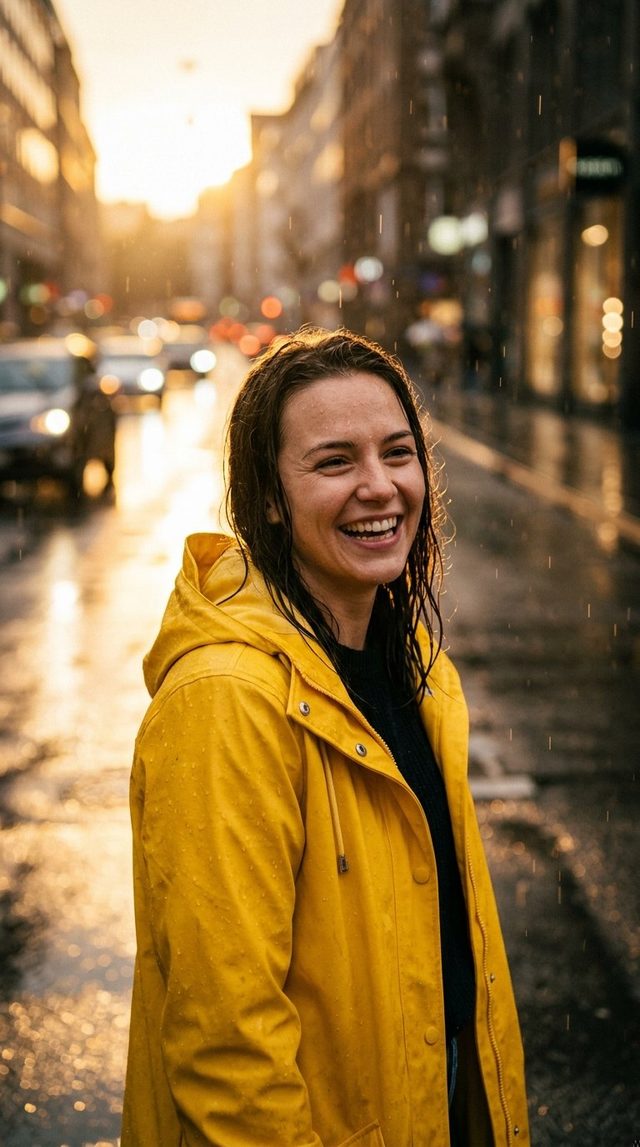
Nano Banana 2.1 is the newest Google Nano Banana model on VdoBloom, added in October 2026. It does two jobs in one model: text-to-image in Image Generation and photo editing in Image Edit. It takes the same inputs as Nano Banana 2: a prompt of up to 20,000 characters, up to 14 reference images, 15 aspect ratios from auto to 8:1 and 1:8 banner strips, 1K, 2K or 4K output, and JPG or PNG.
The price is what sets it apart. Nano Banana 2 is a flat 15 credits per image. Nano Banana 2.1 is priced by resolution: 3 credits at 1K, 4 at 2K and 6 at 4K, the same whether you generate or edit and however many reference photos you attach. A 4K image costs less than half of one Nano Banana 2 image. The exact cost appears before you press Generate, and a failed job is refunded automatically.
New accounts get 10 free credits: three 1K images, two 2K images or one 4K image. A one-time 300-credit pack is $19.50 and never expires (100 images at 1K or 50 at 4K), or the Lite plan is $15 a month. The sections below cover specs, worked costs, the comparison with the rest of the Nano Banana family and with GPT Image 2, where it runs and its limits.
Nano Banana 2.1 specs at a glance
These figures come from VdoBloom's model configuration and the KIE service that runs the model. Nano Banana 2.1 takes the same limits as Nano Banana 2; the service notes that the one input it drops is Nano Banana 2's Google Search flag, which VdoBloom does not expose for either model anyway.
| Spec | Nano Banana 2.1 on VdoBloom |
|---|---|
| Maker | Google (Nano Banana 2 line), run through VdoBloom's KIE integration |
| Modes | Text-to-image (Image Generation) and image editing (Image Edit), one model id |
| Reference images | Up to 14 per job (optional when generating, required when editing) |
| Aspect ratios | 15: auto, 1:1, 1:4, 1:8, 2:3, 3:2, 3:4, 4:1, 4:3, 4:5, 5:4, 8:1, 9:16, 16:9, 21:9 |
| Resolutions | 1K, 2K, 4K (defaults to 1K) |
| Output format | JPG or PNG |
| Prompt length | Up to 20,000 characters |
| Price | 3 / 4 / 6 credits at 1K / 2K / 4K (keys nano-banana-2-1-1k, -2k, -4k) |
| Free credits cover | Three 1K images, two 2K images or one 4K image |
| Content filter | STRICT label, like every Nano Banana model |
| On VdoBloom since | October 2026 |
What Nano Banana 2.1 costs: worked examples
The price follows the resolution you pick and nothing else: not the number of reference photos, not the aspect ratio, not whether you are generating or editing. The dollar figures use the Lite plan rate of $0.05 a credit; a one-time 300-credit pack is $19.50 and its credits never expire.
| Job | 1K | 2K | 4K |
|---|---|---|---|
| 1 image | 3 cr ($0.15) | 4 cr ($0.20) | 6 cr ($0.30) |
| 10 images | 30 cr ($1.50) | 40 cr ($2.00) | 60 cr ($3.00) |
| 9 drafts at 1K + 1 final | 27 + 3 = 30 cr | 27 + 4 = 31 cr | 27 + 6 = 33 cr |
| Images per 300-credit pack | 100 | 75 | 50 |
| Same image on Nano Banana 2 | 15 cr | 15 cr | 15 cr |
Read more: Nano Banana 2.1: price, limits and when to use it · Credit packs and plans
Nano Banana 2.1 vs Nano Banana 2 vs Lite vs Pro vs Edit
All five are Google models in the same pickers. Nano Banana 2.1 and Nano Banana 2 accept identical inputs; the difference is the flat 15-credit price on 2 against 3 to 6 on 2.1. Nano Banana 2 Lite is a flat 8 credits with 10 references and no resolution choice. Nano Banana Pro offers 1K/2K/4K at 18 to 24 credits with 8 references. Nano Banana Edit is a flat 5-credit editor with 10 references and no resolution choice. VdoBloom does not rank them on output quality; compare two on your own prompt.
| Model | Generate / edit | Max references | Resolution | Credits per image |
|---|---|---|---|---|
| Nano Banana 2.1 | Both | 14 | 1K / 2K / 4K | 3 / 4 / 6 |
| Nano Banana 2 | Both | 14 | 1K / 2K / 4K | 15 flat |
| Nano Banana 2 Lite | Both | 10 | No selector | 8 flat |
| Nano Banana Pro | Both | 8 | 1K / 2K / 4K | 18 / 18 / 24 |
| Nano Banana Edit | Edit only | 10 | No selector | 5 flat |
| Nano Banana | Generate only | None | No selector | 6 flat |
Read more: Nano Banana 2 model page · Nano Banana Pro model page · Nano Banana Edit model page · Nano Banana model page
Nano Banana 2.1 vs GPT Image 2
These are the two resolution-priced families people compare most. Nano Banana 2.1 is 3 / 4 / 6 credits at 1K / 2K / 4K; GPT Image 2 is 3 / 5 / 8. At 1K they cost the same; at 2K and 4K Nano Banana 2.1 costs less per image. Nano Banana 2.1 takes 14 reference images against GPT Image 2's 10, and offers the extreme 8:1 and 1:8 strips. GPT Image 2 has its own rules worth knowing: its auto aspect ratio renders at 1K only, and a 1:1 square cannot be 4K. Both carry the STRICT label.
| Nano Banana 2.1 | GPT Image 2 | |
|---|---|---|
| 1K / 2K / 4K | 3 / 4 / 6 credits | 3 / 5 / 8 credits |
| Reference images (edit) | 14 | 10 |
| Aspect ratios | 15 incl. auto, 8:1, 1:8 | 11 incl. auto |
| Prompt length | 20,000 characters | 20,000 characters |
| Resolution rules | Any ratio at any tier | Auto = 1K only; 1:1 cannot be 4K |
| Content label | STRICT | STRICT |
Read more: GPT Image 2 vs Nano Banana 2 · GPT Image 2 (text to image) model page · GPT Image 2 (editing) model page
Where to run Nano Banana 2.1 on VdoBloom
The same model id serves both directions, so the price and limits are identical everywhere it appears.
- Image Generation (Text to Image): pick Nano Banana 2.1, write the prompt, choose a ratio, a resolution and JPG or PNG. Reference photos are optional here.
- Image Edit: pick Nano Banana 2.1, upload 1 to 14 photos and describe the change. Same 3 / 4 / 6 credits.
- Social Media designer: one of the four models (with Nano Banana 2, 2 Lite and Pro) that accept a product photo as a reference for a product post.
Read more: Multi-model AI image generator · AI Image Editor from a photo · How to use Nano Banana 2 (same controls)
Prompting Nano Banana 2.1
Draft at 1K. A 1K image is 3 credits, so ten variations cost what two Nano Banana 2 images would. When one is right, re-run the same prompt at 4K for 6 credits rather than upscaling the draft.
With reference photos, give each one a role in the prompt: 'Image 1 is the model, image 2 is the bottle, image 3 is the marble counter; place the bottle in her right hand on the counter, soft window light from the left.' Fourteen is the ceiling, not a target; three to five clear references usually give the model less to reconcile. For banners, pick the strip ratio (8:1 or 4:1) before you write, and describe the composition left to right, because the model has to fill a very wide frame. Leave the ratio on auto only when you are happy for the model to choose the shape.
For edits, add a 'keep' clause: 'change only the wall colour to sage green; keep the furniture, lighting and camera angle'.
Generate and edit with one model
Most model pairs on VdoBloom are split into a text-to-image id and an image-to-image id with separate pages. Nano Banana 2.1 is one id that serves both. In Image Generation, reference photos are optional: leave them out for pure text-to-image, or add up to 14 to steer the result. In Image Edit, at least one photo is required and the prompt describes a change to it. The price ladder (3 / 4 / 6), the 15 ratios and the 20,000-character prompt are identical in both places, so a draft made in Image Generation can go straight into Image Edit for the next change at the same cost per image.
Banner and strip formats
Nano Banana 2.1 is one of the few image models on VdoBloom with true strip ratios, which matter for website headers, marketplace banners and vertical skyscraper ads. Pick the ratio before you write the prompt and describe the composition along the long edge.
| Ratio | Typical use | Prompting tip |
|---|---|---|
| 8:1 | Website hero strip, email header | Describe left, centre and right zones; keep the subject off-centre to leave room for copy |
| 4:1 | Marketplace or shop banner | Name a single focal object and a plain area for text |
| 21:9 | Cinematic header, channel art | Treat it like a film frame: subject, background, light direction |
| 1:4 and 1:8 | Vertical skyscraper ads, phone-length scroll graphics | Describe top to bottom; stack elements rather than spreading them |
| auto | Let the model choose | Use when the shape is not important to the deliverable |
Limits and honest caveats
The STRICT label applies: the provider filters both your text and your uploaded images, and explicit content stays blocked everywhere on VdoBloom. Swimwear and suggestive fashion edits are refused more often than on models labelled HOT. Nano Banana 2.1 is new, so if a particular prompt looks better on Nano Banana 2, use Nano Banana 2; VdoBloom does not claim 2.1 beats it on every image. There is no transparent-background option; for a cut-out PNG with real alpha, Qwen Image 2.1 offers one. It is a proprietary Google model with no downloadable weights, run through VdoBloom's provider, and a job the provider fails is refunded automatically.
Read more: Transparent-background images with Qwen Image 2.1 · Nano Banana blocking fashion images? Alternatives
What creators use Nano Banana 2.1 for
- Many prompt variations at 3 credits each, then one final render of the winner at 2K or 4K.
- Composites from up to 14 reference photos: a person, a product, its packaging and a location in one job.
- Website and ad banners in extreme formats (8:1, 4:1, 1:4, 1:8) plus 21:9 and 9:16, without cropping.
- Photo edits that keep the rest of the frame: a new background, a clothing swap, lettering added to a sign.
- Product-photo social posts in the Social Media designer, where it is one of four models that accept a product photo as a reference.
How to use Nano Banana 2.1 on VdoBloom
- 1Open the Text to Image tool and select Nano Banana 2.1.
- 2Write your prompt (or upload an image to edit).
- 3Set resolution (1K/2K/4K), aspect ratio, review the credit cost, and generate.
Frequently asked questions
What does Nano Banana 2.1 cost?
3 credits for a 1K image, 4 for 2K and 6 for 4K, in both Image Generation and Image Edit. The number of reference images does not change the price. At the Lite rate of $0.05 a credit that is $0.15, $0.20 or $0.30 an image.
Can I try Nano Banana 2.1 for free?
Yes. New accounts get 10 free credits: three 1K images, two 2K images or one 4K image. More credits come from referrals and challenges, or from a one-time pack whose credits never expire.
How is Nano Banana 2.1 different from Nano Banana 2?
The inputs match: 14 reference images, 15 aspect ratios including auto, 1K/2K/4K, JPG or PNG, 20,000-character prompts. The price differs: Nano Banana 2 is a flat 15 credits, Nano Banana 2.1 is 3, 4 or 6. For output quality, compare both on your own prompt; VdoBloom does not publish a ranking.
How many reference images can I use?
Up to 14 per job, the same as Nano Banana 2 and more than Nano Banana 2 Lite (10), Nano Banana Edit (10) or Nano Banana Pro (8).
Which aspect ratios and resolutions are available?
Resolutions 1K, 2K and 4K. Aspect ratios: auto, 1:1, 1:4, 1:8, 2:3, 3:2, 3:4, 4:1, 4:3, 4:5, 5:4, 8:1, 9:16, 16:9 and 21:9. Unlike GPT Image 2, every ratio is available at every resolution.
Can Nano Banana 2.1 edit my photos as well as generate new images?
Yes. It appears in both Image Generation and Image Edit under the same model id. In Image Edit you upload up to 14 photos and describe the change in plain language.
Nano Banana 2.1 vs GPT Image 2: which costs less?
They match at 1K (3 credits). At 2K Nano Banana 2.1 is 4 credits against 5, and at 4K it is 6 against 8. Nano Banana 2.1 also takes more reference images (14 against 10) and has no square-at-4K restriction.
How strict is the content filter?
Strict. Nano Banana 2.1 carries the STRICT label like the other Nano Banana models: the provider checks both text prompts and uploaded images. Explicit and illegal content stays blocked everywhere on VdoBloom.
Does Nano Banana 2.1 make transparent PNGs?
No. It outputs JPG or PNG without an alpha channel option. For a real transparent background, use Qwen Image 2.1 on VdoBloom, which has a transparent setting.
Do I need a Google or Gemini account?
No. VdoBloom runs Nano Banana 2.1 through its own provider integration. You sign in to VdoBloom, pick the model and pay in credits; there is no API key or separate balance.
Nano Banana 2.1 guides, prices and comparisons
This page is the Nano Banana 2.1 hub. Each guide below goes deeper on one question and links back here.
Nano Banana 2.1 guide
Price, limits and when to use it.
How to use Nano Banana 2
The same controls, step by step.
How to use Nano Banana 2 Lite
The flat 8-credit tier with 10 references.
How to use Nano Banana Pro
1K/2K/4K at 18 to 24 credits.
GPT Image 2 vs Nano Banana 2
Two resolution-priced families side by side.
Best AI image models in 2026
Where the Nano Banana line fits among the rest.
Multi-model AI image generator
One prompt box, every image model.
AI Image Editor from a photo
Edit any photo by typing an instruction.
AI product photos for e-commerce
Reference-photo composites for listings.