Nano Banana Pro: AI Image Generator & Editor Online
Bottom line
Nano Banana's production tier: 1K/2K/4K resolution control, full editing, 18-24 credits per run. Generate from text or edit an existing image with Nano Banana Pro in one place — VdoBloom shows the credit cost for either mode before you confirm.
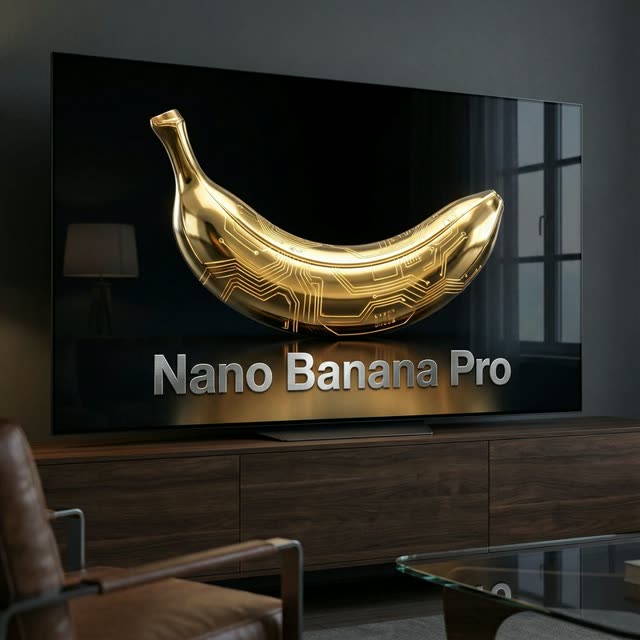
The first question for client or print work is output size, and that's where Nano Banana Pro stakes its claim: a 1K/2K/4K resolution selector on every job, priced by tier — 18 credits at 1K, 18 at 2K, and 24 at 4K (1K is the default if you don't specify one). Draft or deliver web assets at 1K/2K for the same price, then step up to 4K only when the image has to survive large-format printing or aggressive cropping.
It's the professional tier of Google's Nano Banana image line, and unlike the base model it works as an editor as well as a generator — upload an existing image, describe the change in plain language, and re-export at whichever resolution the deliverable needs, with up to 8 reference images per job. Ten aspect ratios cover everything from 9:16 vertical through the 4:5/5:4 feed formats up to 21:9 ultrawide.
Users on VdoBloom rate it 4.4, a step above the base Nano Banana. It carries a STRICT content label — this model refuses restricted material firmly — and it's a proprietary Google model with no open-weight release. Credit cost for each configuration is shown before you generate.
What it costs on VdoBloom
Nano Banana Pro is resolution-priced: 18 credits at 1K, 18 credits at 2K, and 24 credits at 4K. Because 1K and 2K are the same price, there's no cost trade-off between them — the only decision that changes price is whether you need 4K. If you skip setting a resolution, VdoBloom defaults the job to 1K.
Nano Banana Pro vs. Nano Banana 2
Both are current-generation Nano Banana models with full generate-and-edit capability and a STRICT content label, but they price and scale differently. Pro tops out at 8 reference images and 10 aspect ratios, costing 18 credits at 1K/2K and 24 at 4K. Nano Banana 2 accepts up to 14 reference images and 15 aspect ratios (including extreme 1:8-to-8:1 panoramic formats and an auto option), for a flat 15 credits at any resolution up to 4K — which makes it the cheaper choice specifically at 4K. Pick Pro for its slightly higher 4.4 rating and simpler standard-ratio workflow; pick Nano Banana 2 for extreme aspect ratios, more references, or predictable flat pricing at 4K.
What creators use Nano Banana Pro for
- 4K renders for print collateral where a 1K web export would fall apart at size.
- Editing an existing product shot — changing the backdrop or lighting — then re-exporting at 2K for the same 18-credit price as 1K.
- Building a brand image library at consistent quality across 1:1, 4:5, and 16:9 formats from one model.
- Compositing up to 8 reference images into a single edited scene.
How to use Nano Banana Pro on VdoBloom
- 1Open the Text to Image tool and select Nano Banana Pro.
- 2Write your prompt (or upload an image to edit).
- 3Set resolution (1K/2K/4K), aspect ratio, review the credit cost, and generate.
Frequently asked questions
What does Nano Banana Pro cost on VdoBloom?
18 credits at 1K resolution, 18 credits at 2K (same price as 1K), and 24 credits at 4K. If you don't select a resolution, VdoBloom defaults to 1K (18 credits).
Is Nano Banana Pro free to try?
New accounts start with 10 free credits, which doesn't cover a full Nano Banana Pro generation on its own (the cheapest tier is 18 credits) — it's enough to try the cheaper base Nano Banana (6 credits) or Nano Banana Edit (5 credits) first while you build up credits through referrals and challenges.
What resolution options does Nano Banana Pro offer?
Three selectable tiers: 1K, 2K, and 4K. 1K and 2K cost the same (18 credits), so there's no reason to cap yourself at 1K if you might need 2K later — the price only increases at 4K (24 credits).
How is Nano Banana Pro different from the base Nano Banana?
Pro adds image editing on top of generation, an 8-image reference limit, and the 1K/2K/4K resolution selector; the base model generates from text only, at one fixed quality tier, for a flat 6 credits. Pro's rating (4.4) is also higher than the base model's (4.2).
Nano Banana Pro vs. Nano Banana 2 — which is better?
Nano Banana 2 is flat-priced at 15 credits regardless of resolution (including 4K) and accepts up to 14 reference images with extreme aspect ratios (down to 1:8, up to 8:1) that Pro doesn't offer. Pro caps at 8 reference images and 10 standard aspect ratios, but at 1K/2K it's cheaper (18 vs. 15 — close) and at 4K it's more expensive (24 vs. 15, where Nano Banana 2 is actually cheaper). If your job needs extreme panoramic ratios or more references, pick Nano Banana 2; for a slightly higher 4.4 rating and simpler standard framing, Pro is the pick.
Can I edit an existing image with Nano Banana Pro?
Yes — it's a generator and editor, accepting up to 8 reference images per job. Upload an image, describe the change, and export at your chosen resolution.
What content restrictions does Nano Banana Pro enforce?
It carries the STRICT label — Google's firm provider-side filters. Expect refusals on restricted subject matter regardless of resolution or mode.
Is Nano Banana Pro open source?
No — it's a proprietary Google model available only via API access (including through VdoBloom's credit-based tool). There's no local or downloadable version.