SkyReels V4 Image-to-Video: Image to Video Online
Bottom line
Give SkyReels V4 a still and get a cinematic 3-15 second move at up to 1080p; no aspect-ratio control. Upload a starting frame, choose SkyReels V4 Image-to-Video in the Image to Video tool, and animate it on VdoBloom — the credit price appears before every generation.
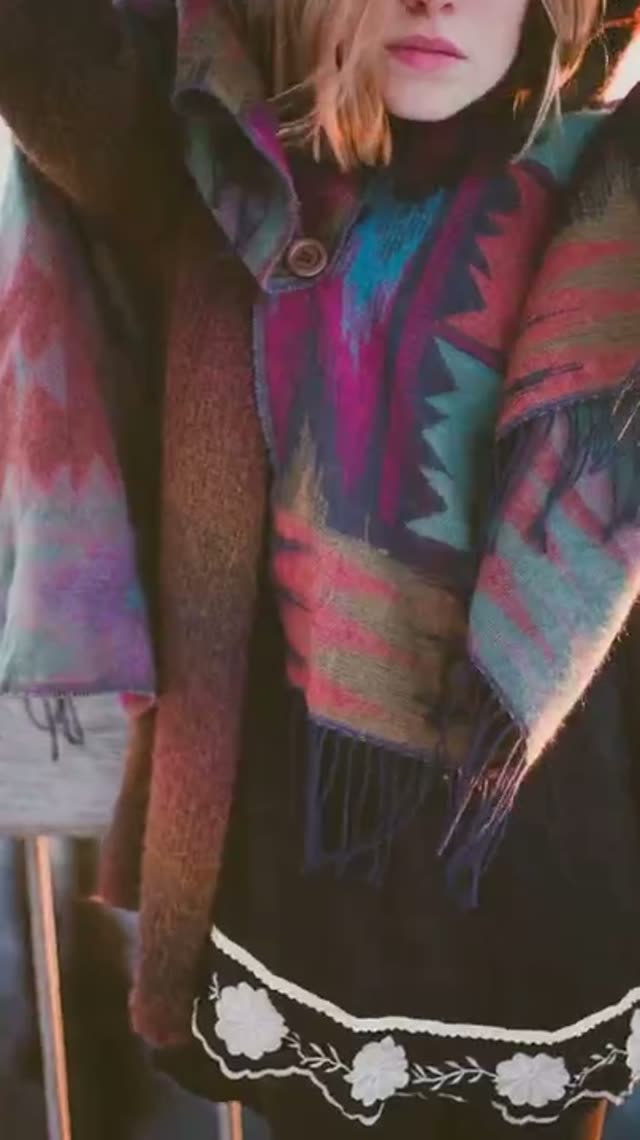
SkyReels V4 Image-to-Video is built for the case where you already own the composition — a concept painting, a storyboard panel, a product photo — and want it to move with cinematic intent. Upload the still, describe the motion, and the model animates it into a clip between 3 and 15 seconds. Output follows your source image's shape; there's no separate aspect-ratio setting on this mode.
As with its text-to-video sibling, the real duration options that map to VdoBloom's price table are 5, 10, and 15 seconds — 3, 8, and 12 seconds bill at the next tier up. Resolution spans 480p, 720p, and 1080p, and the 480p tier is a cheap way to check how the model reads your image's depth and subject before spending more on a full-resolution pass.
Image-to-video runs slightly more per second than the text-to-video sibling at every resolution — a small premium for starting from a fixed frame rather than an invented one. VdoBloom shows the exact credit cost for your selected duration and resolution before every run, and a failed generation is refunded automatically.
What it costs on VdoBloom
At 5/10/15 seconds: 480p is 22/42/60 credits, 720p is 38/70/100 credits, 1080p is 65/120/175 credits — each a few credits above the text-to-video sibling at the same settings. As with text-to-video, requesting 3, 8, or 12 seconds bills at the next real tier (5, 10, or 15) rather than a discount.
Getting a clean animation from your source image
Test at 480p and a short duration first to see whether the model reads your image's depth and subject the way you expect, then re-run the confirmed setup at 1080p and your target length. Because there's no aspect-ratio control here, prepare your source image at the shape you actually want to deliver — the output won't be re-cropped for you.
What creators use SkyReels V4 Image-to-Video for
- Animating storyboard panels into moving previs so a director can judge pacing before a shoot.
- Adding slow, cinematic push-ins to archival or product photography for documentary-style edits.
- Extending stills generated by any VdoBloom image model into 12- or 15-second clips at 1080p.
- Cheaply testing motion at 480p before committing credits to a 1080p version.
How to use SkyReels V4 Image-to-Video on VdoBloom
- 1Open the Image to Video tool and select SkyReels V4 Image-to-Video from the model picker.
- 2Upload your starting image and describe the motion you want in the prompt.
- 3Choose your duration (3–15s), quality (480p/720p/1080p), review the credit cost, and generate.
Frequently asked questions
What does SkyReels V4 Image-to-Video take as input?
A single still image plus a text description of the motion you want. The model animates your frame into a cinematic clip between 3 and 15 seconds long; there's no aspect-ratio option since output follows the image.
What does it cost?
At 720p: 5 seconds is 38 credits, 10 seconds is 70, 15 seconds is 100. At 480p the same durations are 22/42/60 credits, and at 1080p they're 65/120/175 — a little more than the text-to-video sibling at every tier.
What durations and resolutions are available?
Six duration buttons (3, 5, 8, 10, 12, 15 seconds), though only 5, 10, and 15 have their own price entries — 3, 8, and 12 bill at the next tier up. Output is 480p, 720p, or 1080p.
How does this differ from SkyReels V4 Text-to-Video?
Both share the same duration options and three resolution tiers. The image version starts from your uploaded frame, so composition, palette, and character design are fixed before generation, while the text version invents the frame from your prompt — and costs a little less per second as a result.
Is there a free way to test SkyReels V4 Image-to-Video?
New VdoBloom accounts start with 10 free credits, close to but under the 22-credit floor for the cheapest 5-second 480p clip — enough to review the tool before topping up.
What content policy does SkyReels V4 Image-to-Video enforce?
MODERATE filtering — standard moderation comparable to most mainstream video providers. Ordinary creative, commercial, and editorial imagery is fine; explicit content is refused.
Is SkyReels V4 open source?
That isn't established for the version VdoBloom runs, so no claim either way — use it as a hosted, API-accessed model rather than assuming downloadable weights exist.
SkyReels V4 Image-to-Video vs Seedance for animating a photo?
Seedance's V1 Lite and Pro Fast image animators are generally cheaper for a straightforward still-to-motion clip (as little as 4 credits for a short 480p clip), while SkyReels V4 leans toward longer, more cinematic single takes with a three-resolution ladder up to 15 seconds. If the goal is a quick, low-cost animation, compare against Seedance V1 Lite first; if it's a cinematic establishing shot, SkyReels V4's framing is built for that.