Nano Banana Special: AI Image Generator & Editor Online
Bottom line
VdoBloom's two-stage Nano Banana pipeline: a premium base render plus an auto-routed refinement pass. Generate from text or edit an existing image with Nano Banana Special in one place — VdoBloom shows the credit cost for either mode before you confirm.
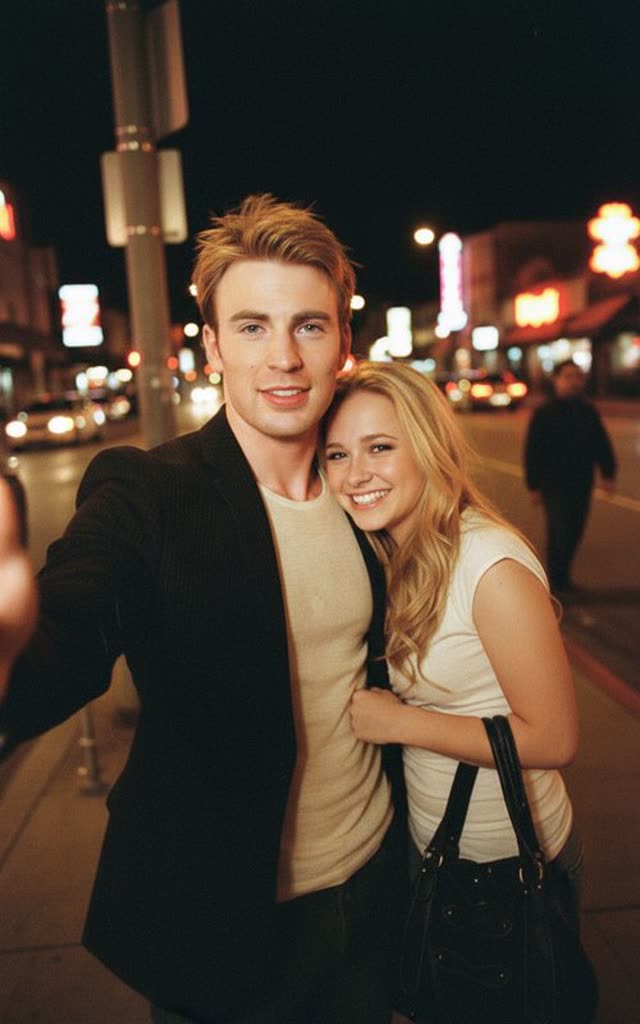
Nano Banana Special isn't a different AI model so much as a pipeline VdoBloom built on top of two existing ones. Behind the scenes, it runs Nano Banana Pro at 2K resolution to generate the base image — the same strictly-filtered, high-quality model listed elsewhere on VdoBloom as Nano Banana Pro — then automatically routes the result through a second, more permissive editing pass on WAN 2.7 Image, also at 2K, to apply any refinements your prompt called for.
The routing is automatic: an LLM splits your prompt into a core scene description (sent to the strict base model) and any refinement instructions (sent to the permissive second stage). If there's nothing to refine, the second stage is skipped, and VdoBloom refunds that portion of the cost. That design is also why this listing carries a HOT content label — looser than the STRICT rating on the underlying Nano Banana Pro base — since the second stage tolerates creative direction the strict base model alone would refuse.
It works in both directions — generating images from scratch and editing ones you upload — and covers eight aspect ratios: 1:1, 2:3, 3:2, 3:4, 4:3, 9:16, 16:9, and cinematic 21:9. At 4.6 it's among the highest-rated models on VdoBloom, running on a flat 20 credits per job, shown before you generate.
How the two-stage pipeline works
Nano Banana Special runs two model calls behind one request. Stage one generates the base image on Nano Banana Pro at a fixed 2K resolution — the same strict, high-quality model available separately on VdoBloom. Stage two, when needed, applies refinements on WAN 2.7 Image, also at 2K, which is a more permissive editor than the base stage. An LLM automatically splits your prompt between the two: the core scene goes to stage one, and any refinement or stylistic direction goes to stage two. If your prompt has nothing for stage two to do, that stage is skipped and its portion of the cost is refunded — so you're never charged for a refinement pass that didn't run.
What it costs on VdoBloom
The job is flat-priced at 20 credits, regardless of aspect ratio. Compared to calling Nano Banana Pro directly at 2K (18 credits) with no refinement pass, the extra cost buys the automatic second-stage editing — and if that second stage turns out to be unnecessary for your prompt, VdoBloom refunds that portion automatically rather than charging the full 20 credits for a single-stage result.
What creators use Nano Banana Special for
- Subject-consistent edits — swapping backgrounds, outfits, or lighting while keeping a face or product recognizably identical.
- Ultrawide 21:9 banners, channel art, and cinematic frames rendered natively rather than cropped from 16:9.
- One-line prompting that still produces refined results, since the two-stage pipeline does extra work behind a single request.
- Creative directions that a strictly-filtered single-stage model would refuse outright.
How to use Nano Banana Special on VdoBloom
- 1Open the Text to Image tool and select Nano Banana Special.
- 2Write your prompt (or upload an image to edit).
- 3Set aspect ratio, review the credit cost, and generate.
Frequently asked questions
What does Nano Banana Special cost?
A flat 20 credits per job on VdoBloom, covering both stages of the pipeline. If the second (refinement) stage isn't needed for your prompt, that portion is refunded automatically.
Is Nano Banana Special free to try?
New accounts get 10 free credits at signup, which doesn't cover a full 20-credit Nano Banana Special job on its own — it's enough to try the cheaper standalone Nano Banana (6 credits) or Nano Banana Edit (5 credits) first while you build up credits through referrals and challenges.
What does "two-stage" or "auto-enhanced" mean on Nano Banana Special?
Your prompt is automatically split by an LLM into a base description and any refinement instructions. The base runs on Nano Banana Pro (2K, strict filtering); refinements run on a second WAN 2.7 Image pass (2K, more permissive). You submit one prompt — VdoBloom handles the routing between the two stages.
Can Nano Banana Special edit my existing images or only generate new ones?
Both. It's a combined generator and editor: create images from a text prompt, or upload an image and describe the change. The Nano Banana Pro base stage is particularly known for keeping subjects consistent through edits.
How permissive is Nano Banana Special's content policy?
It carries the HOT label, VdoBloom's more flexible filtering tier — notably looser than the STRICT rating on the underlying Nano Banana Pro base model, because the second-stage editor accepts creative direction the strict base stage alone would refuse. It's not unrestricted — explicit and illegal material remains blocked.
Which aspect ratios does Nano Banana Special support?
Eight in total: 1:1, 2:3, 3:2, 3:4, 4:3, 9:16, 16:9, and 21:9. The 21:9 ultrawide option covers banner and cinematic formats natively, with no outpainting or post-crop step in the workflow.
Why does Nano Banana Special cost more than Nano Banana Pro alone?
You're paying for two model calls, not one — a Nano Banana Pro base generation plus a WAN 2.7 editing pass, both at 2K resolution. Nano Banana Pro alone at 2K costs 18 credits; Nano Banana Special's 20-credit flat price covers that plus the second refinement stage (refunded if unused).
Is Nano Banana Special the same as Nano Banana Pro?
No. Nano Banana Pro is a single model call you can select directly (with its own 1K/2K/4K pricing and STRICT filtering). Nano Banana Special is VdoBloom's own two-stage pipeline built on top of Nano Banana Pro plus a WAN editing pass, fixed at 2K resolution, priced flat, and rated HOT rather than STRICT.