Seedream 5.0 Pro: AI Image Generator & Editor Online
Bottom line
ByteDance's flagship Seedream: generate or edit with 10 references, 10 credits Standard or 19 High. Generate from text or edit an existing image with Seedream 5.0 Pro in one place — VdoBloom shows the credit cost for either mode before you confirm.
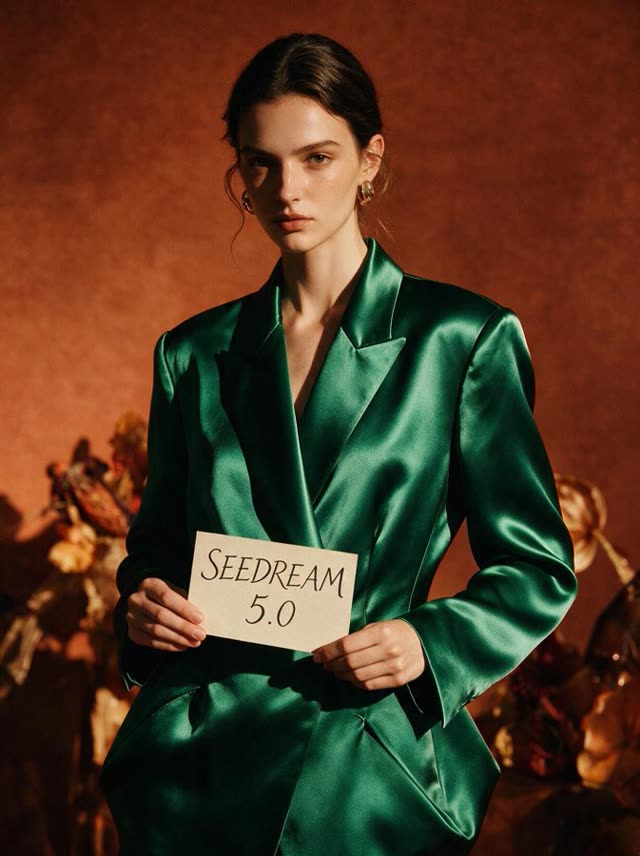
Seedream 5.0 Pro is ByteDance's top-tier image model on VdoBloom, and unlike the 4.5 and 5 Lite lines, it doesn't split into separate generator and editor pages — one model handles text-to-image generation and reference-guided editing with up to 10 input images. That combination is the point: build a scene from a prompt, then feed the result (plus more references) straight back in for a coordinate- and mask-precise local edit, without switching models.
It renders at two quality tiers labeled Standard and High rather than raw pixel counts, across five aspect ratios — 1:1, 4:3, 3:4, 16:9, and 9:16. Standard costs 10 credits, High costs 19. Editing prompts run up to 2,000 characters. Released 2026-07-08, it carries VdoBloom's HOT content label and the platform's highest Seedream rating, 4.8.
Because generation and editing share one page, it's the model to reach for when a job needs both — a multi-reference composite followed immediately by a targeted local fix — without the cost or friction of two separate model calls.
What Seedream 5.0 Pro costs on VdoBloom
Two tiers, same price whether you're generating or editing: 10 credits Standard, 19 credits High. A practical session — three Standard iterations (30 credits) then one High final (19 credits) — runs 49 credits total. Your 10 free signup credits cover one Standard run.
GPT Image 2 vs Seedream 5.0 Pro
GPT Image 2 charges 3/5/8 credits by resolution (1K/2K/4K) across 11 aspect ratios, and its editing lives on a separate page with up to 10 reference images. Seedream 5.0 Pro charges 10/19 credits by quality tier across 5 aspect ratios, but keeps generation and up-to-10-image editing on one page. For pure text-to-image work, GPT Image 2 is the cheaper option; for a single tool that both generates and edits with references, Seedream 5.0 Pro is the more direct path.
Common problems and how to avoid them
The edits most likely to need a retry involve fine small-scale detail or a large, stylistically mixed reference set — both push the model harder than a single clean reference with a clear instruction. Running the job at High quality, trimming the reference set to what's actually needed, and writing the edit instruction as explicit separate steps all reduce retries. Because Standard and High cost differently but share the same aspect ratios and image limits, testing a tricky edit at Standard first before committing to a 19-credit High run is the cheaper way to iterate.
What creators use Seedream 5.0 Pro for
- Multi-reference fusion — combining up to 10 source images into one generated or edited composition in a single tool.
- Coordinate- or mask-precise local edits, such as changing one object while leaving the rest of the frame untouched.
- Strong multilingual on-image text, where layout separation between text and background needs to hold up.
How to use Seedream 5.0 Pro on VdoBloom
- 1Open the Text to Image tool and select Seedream 5.0 Pro.
- 2Write your prompt (or upload an image to edit).
- 3Set resolution (Standard/High), aspect ratio, review the credit cost, and generate.
Frequently asked questions
How much does Seedream 5.0 Pro cost on VdoBloom?
10 credits at Standard quality, 19 credits at High — for either generation or reference-guided editing.
What's the most cost-effective way to run Seedream 5.0 Pro?
Iterate at Standard (10 credits) while you're still settling the prompt, composition, or which reference images to use, then run the finished version once at High (19 credits) for delivery. Since generation and editing share the same model and price, this applies to editing workflows too.
Is Seedream 5.0 Pro free to try?
Your 10 free signup credits cover exactly one Standard-quality generation or edit.
Does Seedream 5.0 Pro do both generation and editing?
Yes — it's the one Seedream model on VdoBloom that combines both on a single page: generate from a text prompt, or edit an existing image using up to 10 reference images, at the same Standard/High pricing either way.
How many reference images can Seedream 5.0 Pro use for editing?
Up to 10 per edit.
What do Standard and High actually mean if not pixel resolution?
They're VdoBloom's labels for two underlying rendering tiers — the exact delivered resolution differs by whether you're generating or editing, since the two paths run through different provider pipelines. Treat High as the higher-fidelity, higher-cost option and Standard as the faster draft tier.
Is Seedream 5.0 Pro censored?
It carries VdoBloom's HOT content label, the platform's more permissive filtering tier. That means more creative latitude than STRICT-tier models like GPT Image, not a guarantee that any specific content will generate.
Seedream 5.0 vs GPT Image 2 — which is cheaper?
GPT Image 2 is cheaper at every tier for pure generation: 3–8 credits by resolution versus Seedream 5.0 Pro's 10 (Standard) or 19 (High). Seedream 5.0 Pro's advantage is combining generation and up-to-10-image reference editing on one page instead of two separate models.
Seedream 5.0 vs Seedream 4.5 — what's different?
5.0 Pro is the flagship: it adds reference-guided editing (up to 10 images) to the same page as generation, at 10–19 credits by quality tier. Seedream 4.5 is flat-rate (7 credits) and splits generation and editing into separate models with a wider 8-ratio selection versus 5.0 Pro's 5.
Seedream 5.0 vs Seedance 2.0 — are these the same thing?
No — different product categories from the same company. Seedream 5.0 generates and edits still images; Seedance 2.0 generates video. If you need video output, look at VdoBloom's Seedance models instead.
What kinds of edits tend to be hardest for Seedream 5.0 Pro to get right?
As with most reference-guided editors, edits asking for very fine, small-scale detail — tiny text, intricate small objects — or edits that need to blend many stylistically different references at once are the ones most likely to need a second pass. Running the difficult edit at High quality, or simplifying the reference set, is the practical fix; a failed generation is refunded automatically.
Is Seedream 5.0 Pro open source?
No — Seedream is a proprietary ByteDance model, available on VdoBloom through its hosted API integration.