Seedream 5 Flash: AI Image Generator Online
Bottom line
Seedream 5 Flash makes 1K or 2K images from text for 2 credits each, in eight aspect ratios with prompts up to 5,000 characters. Pick Seedream 5 Flash in the Text to Image tool, write your prompt, and pay per image in credits. The price is visible before you generate.
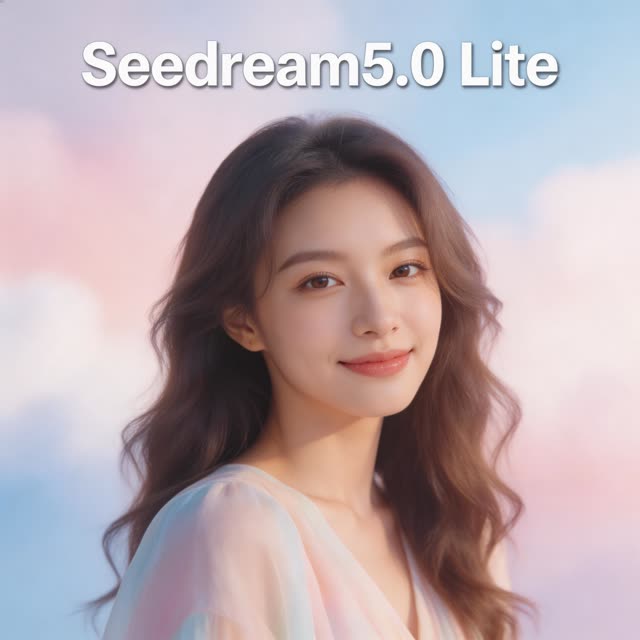
Seedream 5 Flash is the fast, low-cost tier of ByteDance's Seedream 5 family, and on VdoBloom it is the model to draft with. It turns a text prompt into a 1K (Basic) or 2K (High) image for 2 credits, the same price at either quality. The 10 free credits every new account gets cover five images, no card needed.
It accepts prompts up to 5,000 characters, so you can spell out the subject, wardrobe, setting, lighting and camera in one go, and it offers eight aspect ratios: 1:1, 4:3, 3:4, 16:9, 9:16, 2:3, 3:2 and 21:9. Output is JPEG or PNG.
Use it for social posts, thumbnails, blog headers and first drafts. When one composition works and the job needs more, run the same prompt on Seedream 5.0 Pro (10 or 19 credits) or, for 4K, Seedream 5 Lite (6 credits). Flash went live on VdoBloom on 29 September 2026.
Seedream 5 Flash specs at a glance
These limits are the ones VdoBloom's Seedream 5 Flash service enforces. Requests outside them are rejected before any credits are charged.
| Spec | Seedream 5 Flash on VdoBloom |
|---|---|
| Mode | Text-to-image (editing is the separate Seedream 5 Flash Edit model) |
| Quality tiers | Basic (about 1K) and High (about 2K) |
| Aspect ratios | 1:1, 4:3, 3:4, 16:9, 9:16, 2:3, 3:2, 21:9 |
| Prompt limit | 5,000 characters (Seedream 5 Lite allows 3,000) |
| Output format | JPEG or PNG |
| Price | 2 credits per image, Basic or High |
| Provider | ByteDance Seedream 5 Flash via KIE |
| On VdoBloom since | 29 September 2026 |
What Seedream 5 Flash costs: worked examples
Basic and High cost the same 2 credits because the provider currently bills both tiers at the same rate, so there is no saving in choosing Basic. Pick High unless you specifically want a smaller file. The dollar column uses the Lite one-time pack (300 credits for $19.50, 6.5 cents a credit). One-time credits never expire; Lite as a $15 monthly subscription gives the same 300 credits, which reset each billing cycle.
| Job | Credits | About, at the Lite pack rate |
|---|---|---|
| One image, Basic 1K or High 2K | 2 | $0.13 |
| Your 10 free signup credits | Five images | Free |
| Five drafts of one idea | 10 | $0.65 |
| Five Flash drafts, then one Seedream 5.0 Pro High final | 10 + 19 = 29 | $1.89 |
| Five Flash drafts, then one Seedream 5 Lite 4K final | 10 + 6 = 16 | $1.04 |
| A week of daily social posts, three tries each (21 images) | 42 | $2.73 |
| The whole Lite pack | 150 images | $19.50 |
Seedream 5 Flash vs Seedream 5.0 Pro vs Seedream 4.5
Flash is the cheapest Seedream image on VdoBloom; the other tiers cost more because they add resolution or reference editing. All figures come from the same credit table.
| Seedream 5 Flash | Seedream 5.0 Pro | Seedream 4.5 (T2I / Edit) | |
|---|---|---|---|
| Price per image | 2 | 10 Standard, 19 High | 7 / 7 |
| Output size | About 1K or 2K | About 1.5K or 2K from text | Edit: 2K or 4K |
| Aspect ratios | 8 | 5 | 8 |
| Prompt limit | 5,000 characters | 3,000 on edits | 3,000 on edits |
| Edits uploaded photos | No, use Seedream 5 Flash Edit (4 credits) | Yes, same model, up to 10 references | Seedream 4.5 Edit, up to 10 references |
| Best for | Drafts, volume, social sizes | Layout-led finals and composites | 4K edits |
Read more: Seedream 5.0 Pro · Seedream 5 Flash Edit · Seedream 5 Lite · Seedream 4.5 Edit
Which aspect ratio for which job
Seedream 5 Flash's eight aspect ratios cover most places an image ends up. Every row below costs the same 2 credits; the only choice that matters for price is the model, not the frame. Pick the ratio before you write the prompt, because the model composes for the frame: a subject described for a wide banner will be placed differently from the same subject in a tall Story.
| Where the image goes | Ratio to pick | Tier | Credits |
|---|---|---|---|
| Instagram feed post or profile image | 1:1 or 3:4 | High (about 2K) | 2 |
| Stories, Reels cover, TikTok cover | 9:16 | High | 2 |
| YouTube thumbnail, blog header, slide | 16:9 | High | 2 |
| Website hero or banner | 21:9 | High | 2 |
| Pinterest-style pin or poster draft | 2:3 | High | 2 |
| Landscape photo print draft | 3:2 or 4:3 | High, then Seedream 5 Lite 4K if printing large | 2 (+6) |
| First frame for an image-to-video clip | Match the video's ratio (16:9 or 9:16) | High | 2 |
Seedream 5 Flash for image-to-video first frames
A common use of a cheap image model on VdoBloom is making the starting frame for a video. The video models charge far more per clip than Flash charges per image, so it pays to get the first frame right at 2 credits before animating it. Generate the frame in the same aspect ratio as the clip you plan to make, keep the subject clearly separated from the background, and leave some room around it for camera movement. Then open the result in My Creations and send it to an image-to-video model.
A 2K High image is a comfortable source for a 720p or 1080p clip. If the frame needs a fix first, such as a different jacket colour or a cleaner background, run one Seedream 5 Flash Edit at 4 credits rather than generating a new frame and losing the composition you liked.
The draft-then-finish workflow
The reason to use Flash is that a draft costs little enough to throw away. Write the full prompt once, run it on Flash three to five times with small changes (framing, colour, time of day), and pick the strongest. Then keep the prompt word for word and change only the model.
If the final is a social post or a web image, the Flash High result is often the deliverable and there is no second step. If it needs to be printed or cropped hard, re-run the prompt on Seedream 5 Lite for 4K at 6 credits. If it is a designed layout with text, run it once on Seedream 5.0 Pro High at 19 credits. If the draft is nearly right and only one detail is off, send it to Seedream 5 Flash Edit at 4 credits instead of generating again.
Where to run Seedream 5 Flash on VdoBloom
Seedream 5 Flash is in the model picker of the Images Generate tab, and it is a generate option in Boards and Pose Variations. AI Product Photography's real-product mode uses it to build the scene behind your cut-out product. The cost shows before you confirm, and the result lands in My Creations.
A sibling model in the same family powers the Layer Split tool, which splits one image into separate layers as PNG files for 16 credits a run.
Read more: Images: Generate · AI Product Photography · Layer Split
Prompting Seedream 5 Flash
Flash follows a long prompt well, so use the room. A good order is subject, then setting, then light, then camera, then style.
- Start with the subject and what it is doing: 'a ceramic coffee mug on a walnut desk, steam rising'.
- Add the setting and the light: 'morning window light from the left, soft shadows, warm tones'.
- Finish with camera and style: '50mm, shallow depth of field, editorial product photo'.
- Choose the aspect ratio for where the image will be used: 9:16 for Stories and Reels, 16:9 or 21:9 for headers, 2:3 for Pinterest-style pins.
- Change one thing per draft so you can see what made the difference.
- Keep short on-image text in quotes, and expect to check spelling; for text-heavy layouts, finish on Seedream 5.0 Pro.
Limits and honest caveats
Flash is built for speed and price, and the trade-offs are real.
- No 4K. The ceiling is about 2K; Seedream 5 Lite and Seedream 4.5 Edit have 4K tiers.
- Text-to-image only. To change an uploaded photo, use Seedream 5 Flash Edit.
- Fine detail such as small text, hands holding objects or dense patterns is more likely to need a re-roll than on the Pro tier.
- No automatic fallback provider. If the provider fails, the generation fails and the 2 credits are refunded.
- Provider moderation and VdoBloom's own content rules apply to every prompt.
What creators use Seedream 5 Flash for
- Drafting five or ten versions of a composition for the price of one premium image, then finishing only the winner.
- Social, web and thumbnail images where 1K or 2K is the delivery size anyway.
- Long, detailed prompts of up to 5,000 characters that set the scene, wardrobe, light and camera in one pass.
- Wide 21:9 banners and 2:3 or 3:2 print-style frames, which Seedream 5.0 Pro does not offer.
- Product scenes in AI Product Photography's real-product mode, which uses Seedream 5 Flash for the background scene.
How to use Seedream 5 Flash on VdoBloom
- 1Open the Text to Image tool and select Seedream 5 Flash.
- 2Write your prompt.
- 3Set aspect ratio, review the credit cost, and generate.
Frequently asked questions
How much does Seedream 5 Flash cost?
2 credits per image at either quality tier, Basic (about 1K) or High (about 2K). That is about 13 cents at the Lite pack rate of 300 credits for $19.50.
Can I use Seedream 5 Flash for free?
Yes. New accounts get 10 free credits with no card, enough for five Seedream 5 Flash images.
What resolutions and aspect ratios does Seedream 5 Flash support?
Basic is about 1K and High about 2K, in eight aspect ratios: 1:1, 4:3, 3:4, 16:9, 9:16, 2:3, 3:2 and 21:9. There is no 4K tier.
Should I pick Basic or High?
High, in most cases. Both cost 2 credits today because the provider bills them the same, so High gives you the larger image at no extra cost.
How long can a Seedream 5 Flash prompt be?
Up to 5,000 characters. Seedream 5 Lite and Seedream 4.5 allow 3,000.
Seedream 5 Flash vs Seedream 5 Lite: which should I use?
Flash at 2 credits for 1K/2K drafts and social images; Lite at 6 credits when you need a 4K file. Both offer the same eight aspect ratios.
Seedream 5 Flash vs Seedream 5.0 Pro?
Flash is a fifth of the price of a Pro Standard image (2 credits against 10) and has more aspect ratios. Seedream 5.0 Pro is the stronger finishing model for layout-led images and can also edit with up to 10 references.
Can Seedream 5 Flash edit a photo?
Not this model. Seedream 5 Flash Edit is the editing version: upload up to 10 reference images and describe the change, for 4 credits.
What output format do I get?
JPEG or PNG. Choose PNG when you plan to keep editing the image.
Does Seedream 5 Flash have content filters?
Yes. The provider's moderation and VdoBloom's own content rules apply. A refused or failed generation is refunded automatically.
Seedream 5 Flash guides, prices and comparisons
This page is the Seedream 5 Flash hub. Each guide below goes deeper on one question and links back here.
How much does an AI image cost?
Every image model's price, starting from 2-credit Seedream 5 Flash.
Seedream 5 Pro prompts
Draft on Flash, finish on Pro: the prompts and the costs.
Seedream 5 Lite guide
The 4K step up from Flash.
Best AI image models of 2026
Flash among VdoBloom's image models.
AI image keep rate
Why cheap drafts raise the share of finals you keep.
Qwen and Seedream image generator
Seedream tiers next to Qwen Image.
Free AI image generator online
What the free signup credits buy.
Multi-model AI image generator
Switch models without leaving the workspace.