Qwen Image 2.1 Edit: AI Image Editor Online
Bottom line
Qwen Image 2.1 editing: up to ten reference images, paint-a-mask local edits, and transparent output. Open the Image Edit tool, select Qwen Image 2.1 Edit, upload your image, and the exact credit cost appears before the edit runs.
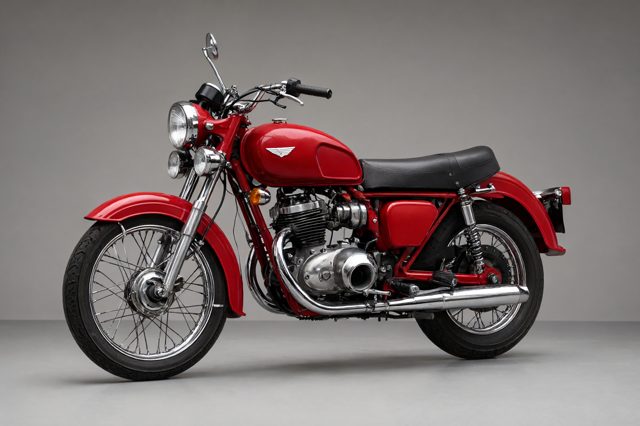
Qwen Image 2.1 Edit is the image-to-image side of Alibaba’s Qwen 2.1 model on VdoBloom. It takes between one and ten reference images (JPEG, PNG or WebP, up to 30 MB and 25 megapixels each) and an instruction of up to 5,000 characters. References are read in upload order, and the prompt refers to them by position: the first image, the second image, and so on. Fidelity to any single reference falls as more are added, so staying within four is the practical limit when a face, product or logo has to stay accurate.
The feature most other editors on the platform lack is mask mode. Upload one image, paint over the area that should change, describe only what belongs inside the painted region, and the model rewrites that region while leaving the rest of the photo untouched. In this mode the output keeps the source image’s ratio, and the aspect-ratio and prompt-rewrite settings are ignored. Mask mode cannot be combined with the transparent-background option.
Outside mask mode the editor offers the same 1K and 2K tiers and nine ratios as the text-to-image model, plus "auto", which follows the first reference. Transparent output works here too: a subject-only instruction on a reference photo returns a real alpha PNG or WebP. Edits cost 3 credits at 1K and 5 credits at 2K, mask edits included.
What creators use Qwen Image 2.1 Edit for
- Replacing one object, garment or background area in a photo with a painted mask, without the rest of the image drifting.
- Combining a person from one reference with a product or setting from another, using landscape ratios to give the composition room.
- Turning a product photo into a transparent cutout for listings, ads and thumbnails.
- Iterating on a generated image by reusing its seed with a small instruction change instead of starting over.
How to use Qwen Image 2.1 Edit on VdoBloom
- 1Open the Image Edit tool and select Qwen Image 2.1 Edit.
- 2Upload the image(s) to edit and describe the change you want.
- 3Review the credit cost and generate — results appear in your library.
Frequently asked questions
How does mask inpainting work in Qwen Image 2.1 Edit?
Tick the mask option, upload a single image, and paint over the area to change directly in the browser. White areas are edited, everything else is kept. Write the prompt for the painted area only, for example "a wooden crate" rather than a description of the whole scene. VdoBloom verified this on a live run on 22 September 2026: the painted region was replaced and the rest of the photo stayed identical.
How many reference images can I upload?
From one to ten. Order matters because the prompt refers to images by position. Fidelity per reference drops as you add more, so keep it to four or fewer when accuracy to a specific reference matters. Mask mode accepts exactly one image.
Can I get a transparent background from an edit?
Yes, outside mask mode. Turn on the transparent-background option, keep the instruction about the subject only, and choose PNG or WebP. The output carries a real alpha channel. Transparency and mask mode are mutually exclusive in one request.
What does an edit cost?
3 credits at 1K and 5 credits at 2K, the same as text-to-image and regardless of how many references you upload. The cost is shown before you run the edit and refunded if the generation fails.