Qwen Image 2.1: AI Image Generator Online
Bottom line
Alibaba’s Qwen Image 2.1: exact-size 1K/2K output in nine ratios, with a real transparent-background mode. Pick Qwen Image 2.1 in the Text to Image tool, write your prompt, and pay per image in credits — the price is visible before you generate.
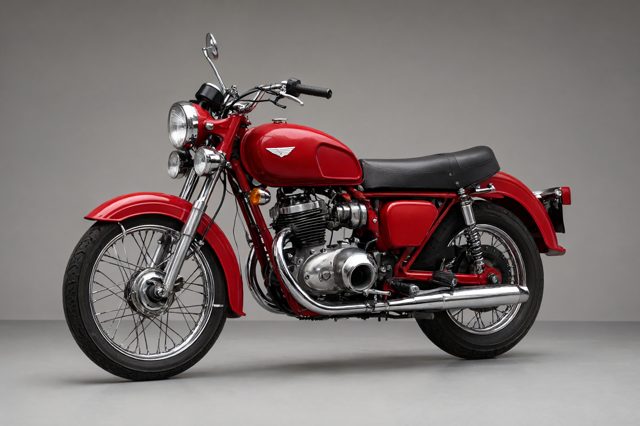
Qwen Image 2.1 is the text-to-image half of Alibaba’s 2.1-generation image model, running on VdoBloom through KIE’s jobs API. It reads prompts of up to 5,000 characters in any language and, by default, expands short prompts into a fuller scene description before rendering; that rewrite can be switched off when the wording is already exact.
What sets it apart from the other Qwen tiers on the platform is the background control. With the transparent option on, the model renders the subject straight onto an alpha channel and returns a PNG or WebP that carries it, rather than an opaque image with the background removed afterwards. The rule that goes with it is simple: describe only the subject, because a prompt that names a floor, wall or sky can bring a background back.
Output sizes are fixed per ratio. 3:2 (the default) renders at 1248×832 or 2528×1696, 16:9 at 1376×768 or 2752×1536, 9:16 at 768×1376 or 1536×2752, and the two ultra-wide ratios (21:9 and 9:21) top out at 3136×1344 and 1344×3136. Every generation returns the seed it used, so a result you like can be reproduced with a small prompt change. A 1K image costs 3 credits and a 2K image 5 credits, shown before you generate.
What creators use Qwen Image 2.1 for
- Stickers, logos and icons that need a real alpha channel rather than a white box — generated once, layered anywhere.
- Product cutouts for marketplace listings and ad creatives where the item has to sit on the platform’s own background.
- Banner and thumbnail assets at exact pixel sizes, using the 21:9 and 9:21 ratios that most image models do not offer.
- Non-English prompt work: the model accepts the full prompt in the writer’s own language with no translation step.
How to use Qwen Image 2.1 on VdoBloom
- 1Open the Text to Image tool and select Qwen Image 2.1.
- 2Write your prompt.
- 3Set resolution (1K/2K), aspect ratio, review the credit cost, and generate.
Frequently asked questions
Does Qwen Image 2.1 really output transparent PNGs?
Yes. Set the transparent-background option and pick PNG or WebP; the file comes back with a genuine alpha channel. JPEG has no alpha, so VdoBloom switches a JPEG selection to PNG when transparency is on. Keep the prompt to the subject only; naming a scene or surface can make the model draw one.
What resolutions and aspect ratios can I choose?
Two tiers, 1K and 2K, across nine ratios: 1:1, 4:3, 3:4, 3:2, 2:3, 16:9, 9:16, 21:9 and 9:21. Each ratio has a fixed pixel size at each tier, for example 1024×1024 or 2048×2048 for 1:1. 2K is noticeably slower, so it is worth reserving for finals.
What does the "enhance prompt" toggle do?
It lets the model rewrite your prompt into a fuller scene description before rendering. It is on by default and helps short prompts. Turn it off for transparent cutouts, where a rewrite can add a background, or whenever your prompt already says exactly what you want.
How much does Qwen Image 2.1 cost on VdoBloom?
A 1K image is 3 credits and a 2K image is 5 credits. The cost is shown before you generate, and new accounts start with 10 free credits. Failed generations are refunded automatically.