Qwen2 Text-to-Image: AI Image Generator Online
Bottom line
Alibaba's Qwen engine tuned for fast text-to-image drafting across five aspect ratios. Pick Qwen2 Text-to-Image in the Text to Image tool, write your prompt, and pay per image in credits — the price is visible before you generate.
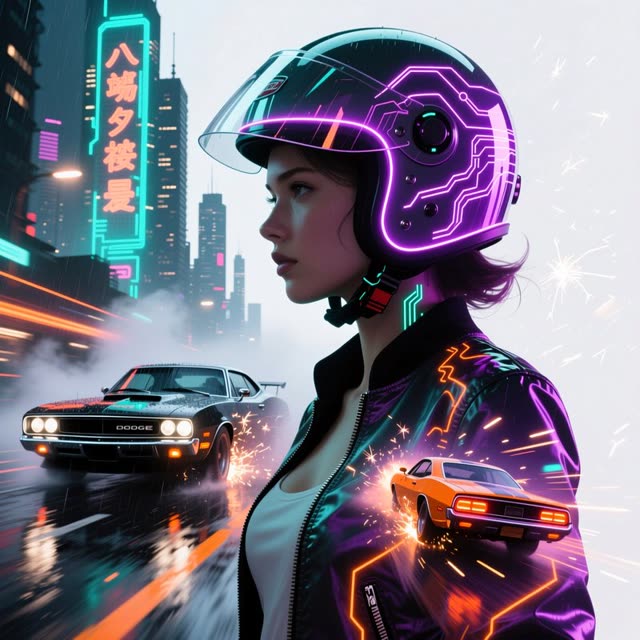
Prompt iteration is a numbers game: the faster each render comes back, the more variations you can test before committing to a direction. Qwen2 Text-to-Image is the speed-focused entry in VdoBloom's Qwen lineup, built for exactly that loop — type, generate, adjust, repeat — without the wait heavier models impose.
The model comes out of Alibaba's Qwen family, the same research line behind the widely used open Qwen language and vision models. On VdoBloom it renders in five aspect ratios — 1:1, 4:3, 3:4, 16:9 and 9:16 — which covers square social posts, landscape headers and vertical stories without cropping after the fact. It carries a HOT content label, meaning filtering is more permissive than on strictly moderated providers, so stylized and edgier creative prompts have more room.
It holds a 4.1 rating from VdoBloom users, and like every model on the platform it runs on credits, with the exact cost displayed before you generate. Treat it as the sketching tool in your image workflow; when a draft earns a final pass, you can carry the winning prompt to a higher-fidelity model.
What it costs on VdoBloom
Qwen2 Text-to-Image runs a flat 8 credits per image regardless of aspect ratio. Ten images cost 80 credits. The 10 free signup credits cover one generation with 2 left over. Cost is shown before you generate, and a failed job is refunded automatically.
Qwen2 Text-to-Image vs the newer Qwen tiers
Qwen2 Text-to-Image was VdoBloom's first Qwen text-to-image model, added August 2025, and it's now the most expensive of the platform's four Qwen text-to-image tiers at a flat 8 credits — above Qwen Image 2.1's resolution-based 3-5 credits and Qwen Image 3.0's flat 5, and below Qwen Image 2.0's flat 10. Its five aspect ratios (1:1, 4:3, 3:4, 16:9, 9:16) are also the narrowest set in the lineup, missing the photographic 3:2/2:3 pair and any ultrawide option. The main case for using it over the newer tiers is familiarity or an existing workflow built around it; for a new project, Qwen Image 2.1 or 3.0 generally cost less and rate higher with users.
What creators use Qwen2 Text-to-Image for
- Batch-testing prompt variations for a concept before spending credits on a slower, higher-fidelity model.
- Producing square, portrait and landscape versions of the same social visual in one sitting using its five aspect ratios.
- Generating quick moodboard and thumbnail imagery where turnaround matters more than pixel-level polish.
How to use Qwen2 Text-to-Image on VdoBloom
- 1Open the Text to Image tool and select Qwen2 Text-to-Image.
- 2Write your prompt.
- 3Set aspect ratio, review the credit cost, and generate.
Frequently asked questions
Which aspect ratios does Qwen2 Text-to-Image support?
Five: 1:1, 4:3, 3:4, 16:9 and 9:16. That covers square, standard landscape and portrait, widescreen and vertical formats, so most social and web placements are available without cropping afterward.
How strict is Qwen2 Text-to-Image's content filter?
It carries a HOT content label on VdoBloom, which indicates more permissive, flexible filtering than strictly moderated models. Prompts that lean stylized or edgy have more latitude here, though platform rules still apply.
Can Qwen2 Text-to-Image edit existing images?
No — it is a pure text-to-image generator. If you want editing on top of generation from the same model line, Qwen Image 2.0 on VdoBloom handles both generation and editing.
Is Qwen2 Text-to-Image better for drafts or final assets?
Its strength is turnaround, so it shines in the drafting and ideation phase where you want many variations quickly. Plenty of outputs are final-ready, but for maximum fidelity you can promote a winning prompt to Qwen Image 2.0 Pro. The credit cost is shown before each generation.
How much does Qwen2 Text-to-Image cost?
8 credits per image, flat — the same regardless of aspect ratio. Five images in a session cost 40 credits. It's the priciest of VdoBloom's four Qwen text-to-image tiers despite being the oldest (added August 2025); the newer Qwen Image 2.1 (3-5 credits) and Qwen Image 3.0 (5 credits flat) both undercut it.
Can I try Qwen2 Text-to-Image for free?
New accounts get 10 free credits — one generation costs 8, leaving 2 credits spare.
Is Qwen2 Text-to-Image open source?
Alibaba's Qwen research line has released open-weight models, but VdoBloom runs Qwen2 Text-to-Image as a hosted API — there's no downloadable checkpoint through this integration.
Qwen2 Text-to-Image vs Qwen Image 2.1 — should I switch?
Qwen Image 2.1 is cheaper (3-5 credits by resolution versus Qwen2's flat 8), rated higher (4.6 versus 4.1), and supports four more aspect ratios plus transparent-background export. There's little reason to pick the older Qwen2 tier over 2.1 unless you specifically want the flat, resolution-independent price.