Qwen Image 2.0: AI Image Generator & Editor Online
Bottom line
Alibaba's Qwen Image 2.0 generates and edits in one model — flat 10 credits, up to 1920×1080. Generate from text or edit an existing image with Qwen Image 2.0 in one place — VdoBloom shows the credit cost for either mode before you confirm.
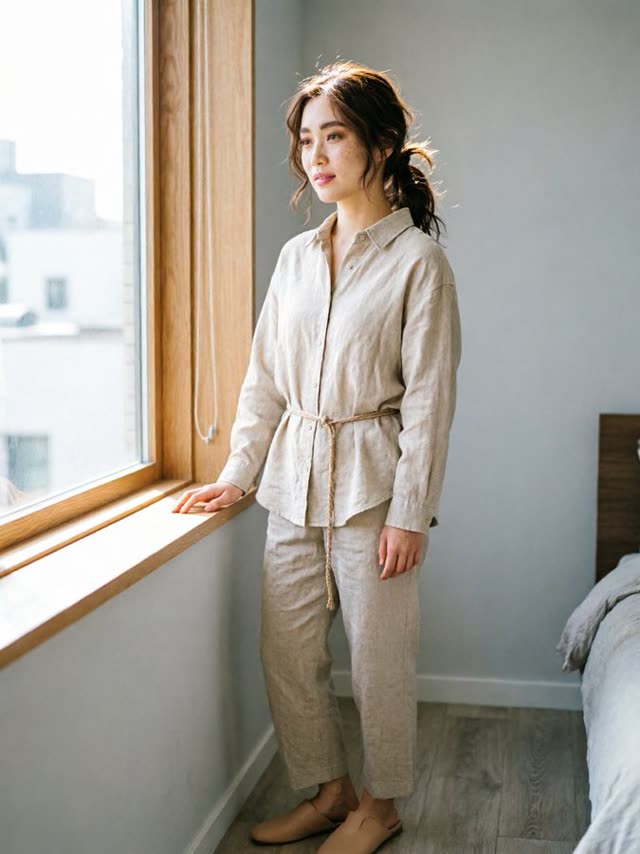
Most image workflows split across two tools: one model to generate, another to edit the result. Qwen Image 2.0 collapses that into a single stop — it produces new images from text and accepts up to three reference images for edits, so a composition can go from first render to final tweak without switching models.
Output tops out at 1920×1080, full HD, across seven aspect ratios: 1:1, 4:3, 3:4, 16:9, 9:16, 3:2 and 2:3. Every generation or edit costs a flat 10 credits — VdoBloom's Qwen Image 2.0 Pro sits a tier above at 12 credits, with sharper typography.
The underlying model traces back to Alibaba's Qwen research line, whose earlier open-weight releases are well known; VdoBloom runs this 2.0 version as a hosted API rather than a downloadable model, so there's nothing to self-host here. It carries VdoBloom's HOT content label — the platform's more permissive filtering tier — and users rate it 4.1. As with every model, the credit cost is shown before you generate.
What it costs on VdoBloom
Every Qwen Image 2.0 job costs a flat 10 credits, regardless of whether you're generating from text or editing with up to three reference images, and regardless of aspect ratio. Five generations in a session cost 50 credits total — there's no resolution surcharge to plan around, since output is fixed at up to 1920×1080.
New accounts start with 10 free credits, one short of a single Qwen Image 2.0 run; the cheaper Qwen2 Text-to-Image (8 credits) or Qwen2 Image Edit (6 credits) fit the free balance if you want to try the Qwen lineup before spending real credits. The cost is always shown before you generate, and failed jobs are refunded automatically.
Qwen Image 2.0 vs Qwen Image 3.0 vs Qwen Image 2.0 Pro
VdoBloom hosts several generation-capable Qwen tiers, and the pricing tracks a fairly clean ladder: Qwen Image 2.1 (3-5 credits by resolution) and Qwen Image 3.0 (5 credits flat) sit below Qwen Image 2.0's flat 10, with Qwen Image 2.0 Pro (12 credits) and Qwen Image 3.0 Pro (6-7 credits by resolution) above. Qwen Image 2.0's distinguishing feature isn't price — it's that generation and editing live in one model with a 1920×1080 ceiling, where the 2.1 and 3.0 lines split generation and editing into separate models with an explicit 1K/2K resolution choice.
If your images need real 2K output, or you'd rather pay per resolution tier than a flat rate, Qwen Image 3.0 and its Pro tier are the better fit. If you want one model that does both jobs without switching tools, 2.0 (or 2.0 Pro for stronger typography) stays simpler.
Getting good results
Because generation and editing share one model here, the same prompt box handles both jobs — describe a full scene to generate from nothing, or describe just the change when you've attached up to three reference images. Mixing the two (a long scene description on an edit job) tends to fight with the reference images instead of refining them.
Qwen Image 2.0 Pro exists specifically for in-image text — headlines, labels, signage — where the standard tier is more likely to warp letterforms. If your composition has no text in it, the standard 2.0 tier is the cheaper, equally capable choice.
What creators use Qwen Image 2.0 for
- Generating a product or scene concept, then refining it with up to three reference images in the same model instead of round-tripping to a separate editor.
- Producing 1920×1080 hero images and video thumbnails at native full-HD size without upscaling.
- Working in photographic 3:2 or 2:3 framing for print-style layouts that square-and-widescreen-only models can't deliver.
- Budgeting predictable costs — every job is 10 credits flat, regardless of aspect ratio or edit complexity.
How to use Qwen Image 2.0 on VdoBloom
- 1Open the Text to Image tool and select Qwen Image 2.0.
- 2Write your prompt (or upload an image to edit).
- 3Set aspect ratio, review the credit cost, and generate.
Frequently asked questions
What resolution does Qwen Image 2.0 output?
Up to 1920×1080 — full HD. That covers thumbnails, web headers, slides and social posts at native size; if you need output beyond full HD, WAN 2.7 Image or Qwen Image 3.0 on VdoBloom offer resolution tiers up to 2K/4K.
Can Qwen Image 2.0 edit images or only generate them?
Both. It is listed as an AI Image Generator & Editor, so you can create an image from a text prompt and then apply edit instructions to it with up to three reference images, or bring in an existing image and modify it directly.
How strict is Qwen Image 2.0's content moderation?
It has a HOT content label, VdoBloom's marker for more permissive, flexible filtering. That gives creative and stylized prompts more room than strictly filtered models, within platform rules.
Which aspect ratios does Qwen Image 2.0 support?
Seven: 1:1, 4:3, 3:4, 16:9, 9:16, 3:2 and 2:3. The 3:2 and 2:3 pair mirrors classic 35mm photographic framing, which is useful for print-style and editorial layouts.
How much does Qwen Image 2.0 cost?
A flat 10 credits per job, whether you're generating from a text prompt or editing with up to three reference images — resolution and aspect ratio don't change the price. Qwen Image 2.0 Pro, the enhanced-typography tier, costs 12 credits.
Can I try Qwen Image 2.0 for free?
New VdoBloom accounts get 10 free credits at signup — one credit short of a single Qwen Image 2.0 generation. Qwen2 Text-to-Image (8 credits) or Qwen2 Image Edit (6 credits) both fit inside the free balance if you want to test the Qwen lineup first.
Is Qwen Image 2.0 open source?
Alibaba's Qwen-Image research line has released open-weight checkpoints, but VdoBloom hosts this 2.0 version as a managed API — you're not downloading or running weights locally through this integration.
Qwen Image 2.0 vs Qwen Image 3.0 — which is better value?
Qwen Image 3.0 is both cheaper (5 credits flat at 1K or 2K, versus 2.0's flat 10) and rated higher by VdoBloom users (4.6 versus 4.1). The trade-off is scope: Qwen Image 2.0 bundles generation and editing in one model with a 1920×1080 ceiling, while 3.0's generation and editing live in separate models (Qwen Image 3.0 and Qwen Image 3.0 Edit) with a proper 1K/2K resolution choice.
Qwen Image 2.0 vs Nano Banana — how do they compare?
Nano Banana costs 6 credits for generation versus Qwen Image 2.0's flat 10, and carries VdoBloom's STRICT content label versus Qwen's more permissive HOT. Nano Banana is generation-only on VdoBloom (pair it with Nano Banana Edit for editing); Qwen Image 2.0 handles both in one model, capped at three reference images.
How is Qwen Image 2.0 different from Qwen2 Image Edit?
Qwen2 Image Edit is a separate, cheaper (6-credit) editing-only model with no generation mode and no resolution ceiling tied to 1920×1080. Qwen Image 2.0 costs more (10 credits) but generates from scratch as well as edits, with up to three reference images per edit.