WAN 2.7 Image: AI Image Generator & Editor Online
Bottom line
Alibaba's WAN 2.7 image engine: flat 4-credit price at 1K, 2K or 4K, with banner-grade 1:8 to 8:1 ratios. Generate from text or edit an existing image with WAN 2.7 Image in one place — VdoBloom shows the credit cost for either mode before you confirm.
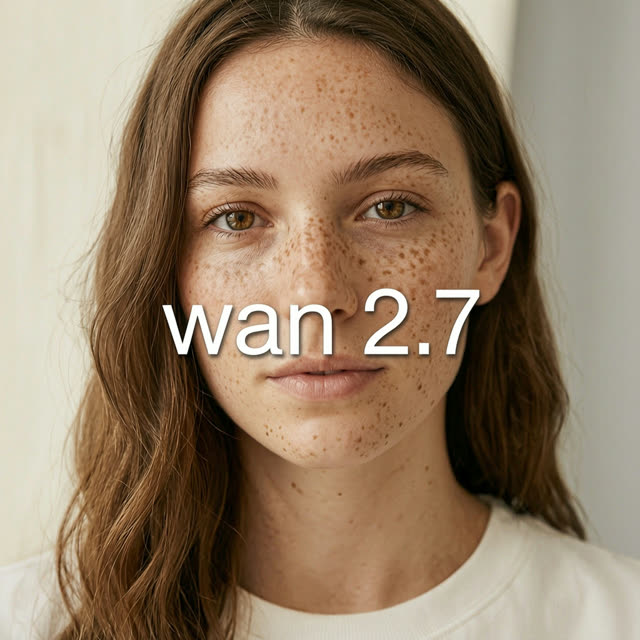
Few image models let you pick a canvas as extreme as 1:8 or 8:1. WAN 2.7 Image does -- its eight aspect ratios run from square 1:1 through cinematic 21:9 out to full skyscraper and super-banner proportions, which makes it one of the rare generators that can produce web banners, ticker strips and panoramic headers natively rather than by cropping a wide render.
Resolution is a three-step ladder -- 1K, 2K, 4K -- and unlike most image models on VdoBloom, all three cost the same: 4 credits per generation, whether you're drafting at 1K or delivering at 4K. It also functions as an editor with up to 9 reference images and a 5,000-character prompt limit, and offers an optional gallery mode, so a generated panorama can be revised with instructions instead of regenerated from scratch.
WAN is Alibaba's visual generation family -- the same line as the Wan video models -- and this 2.7 image release carries that lineage into stills. On VdoBloom it holds a 4.3 user rating and a HOT content label, indicating flexible filtering. A Pro tier exists (18 credits) that's internally flagged as VdoBloom's 4K-capable option if you specifically need a reliable 4K result from a standard text prompt.
What it costs on VdoBloom
WAN 2.7 Image is a flat 4 credits per generation no matter the resolution -- 1K, 2K and 4K all cost the same. That's a real differentiator versus resolution-tiered image models elsewhere on the platform: there's no reason to draft at 1K to save credits, since 4K costs exactly the same 4 credits.
Common problems and how to avoid them
The 1:8 and 8:1 ratios are extreme by design -- a prompt written for a normal frame (a full scene, a centered subject) often reads oddly stretched at those proportions. Write the prompt with the target shape in mind: describe a horizontal strip of content for 8:1, or a vertical stack for 1:8, rather than a standard composition. If an edit-mode result doesn't match a reference image closely enough, check that you're within the 9-image and 5,000-character limits -- exceeding either will affect how the request is processed.
What creators use WAN 2.7 Image for
- Generating native 8:1 and 1:8 banners for web ads and site headers without cropping from a standard frame.
- Producing 4K stills at the same 4-credit price as 1K drafts -- no reason not to go straight to the top tier.
- Editing an existing or freshly generated image with instructions, using up to 9 reference images in one request.
- Drafting quickly at 1K, then re-rendering the winning prompt at 4K for delivery at no extra credit cost.
How to use WAN 2.7 Image on VdoBloom
- 1Open the Text to Image tool and select WAN 2.7 Image.
- 2Write your prompt (or upload an image to edit).
- 3Set resolution (1K/2K/4K), aspect ratio, review the credit cost, and generate.
Frequently asked questions
How much does WAN 2.7 Image cost on VdoBloom?
A flat 4 credits per generation, regardless of whether you output 1K, 2K or 4K. That's unusual -- most image models charge more for higher resolutions.
What resolutions does WAN 2.7 Image support?
Three tiers: 1K, 2K and 4K, all priced identically at 4 credits. If you specifically want VdoBloom's dedicated 4K-capable tier for standard text-to-image mode, WAN 2.7 Image Pro (18 credits) is built for that.
What are the 1:8 and 8:1 aspect ratios for?
Ultra-tall and ultra-wide formats -- skyscraper web ads, ticker strips and panoramic site headers. WAN 2.7 Image renders these natively, alongside 1:1, 3:4, 4:3, 9:16, 16:9 and 21:9.
Can WAN 2.7 Image edit images as well as generate them?
Yes, it's classed as an AI Image Generator & Editor. In edit mode it accepts up to 9 reference images and a prompt of up to 5,000 characters, useful when a wide-format composition needs a targeted fix rather than a re-roll.
How strict is WAN 2.7 Image's content filter?
It carries a HOT label on VdoBloom, the marker for more permissive filtering. Creative latitude is wider than on STRICT-rated engines like Nano Banana or GPT Image, though platform-level rules still apply.
Do my 10 free signup credits cover a WAN 2.7 Image generation?
Yes -- at 4 credits per generation, 10 free credits covers two full-resolution renders, 1K, 2K or 4K, since the price doesn't change with resolution.
Is WAN 2.7 Image open source?
No -- Alibaba has not released the WAN 2.7 image models' weights publicly. It's accessed through hosted platforms like VdoBloom rather than run locally.
What's the difference between WAN 2.7 Image and WAN 2.7 Image Pro?
Both share the same controls, aspect ratios and 1K/2K/4K resolution options. Pro is VdoBloom's internally flagged 4K-capable tier for standard text-to-image mode and costs 18 credits versus the base model's 4 -- pick Pro if a text-only prompt needs a reliably sharp 4K result; the base model is the cheaper default otherwise.