Seedream 5 Lite I2I: AI Image Editor Online
Bottom line
ByteDance's Seedream 5 Lite editor takes up to 14 reference images per edit, 2K or 4K, flat 6 credits. Open the Image Edit tool, select Seedream 5 Lite I2I, upload your image, and the exact credit cost appears before the edit runs.
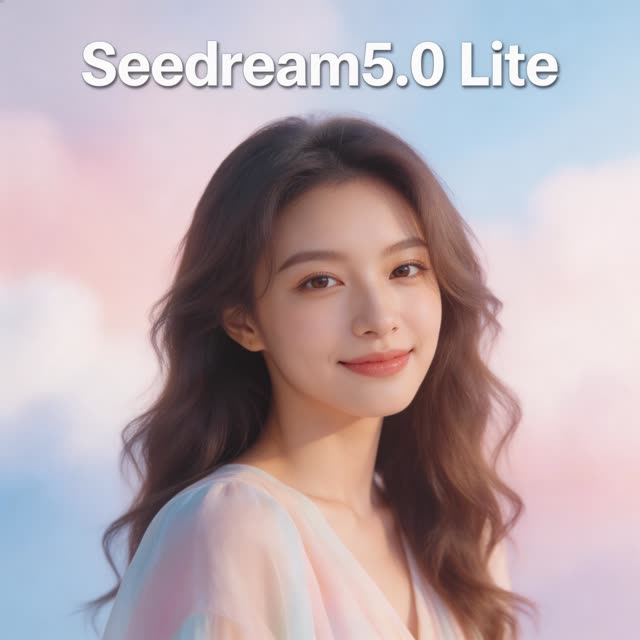
Most image editors let you attach one or two references and hope the prompt carries the rest. Seedream 5 Lite I2I accepts up to 14 input images in a single edit, which changes the kind of work you can bring to it: a product shot plus a background plate plus a style reference, or a full set of character angles that need to merge into one consistent frame. When an edit depends on the model actually seeing everything at once, that headroom matters more than any prompt trick.
The model belongs to ByteDance's Seedream line, launched 2026-02-13, and this Lite variant keeps the ceiling high where it counts — output at 2K or 4K across eight aspect ratios, from square 1:1 through 21:9 ultrawide. Users on VdoBloom rate it 4.6. Prompts run up to 3,000 characters.
You run Seedream 5 Lite I2I on VdoBloom for a flat 6 credits per edit, regardless of resolution or how many of the 14 image slots you use, shown before you generate.
What it costs on VdoBloom
A flat 6 credits per edit, whether you attach 1 image or all 14 slots, and whether you render at 2K or 4K. Your 10 free signup credits cover one edit.
Seedream 5 Lite I2I vs GPT Image 2.5 editing
Both are high-capacity multi-image editors, but priced differently. GPT Image 2.5 (Flare/Sunburst) scales 3–8 credits by resolution across up to 16 images; Seedream 5 Lite I2I is a flat 6 credits across up to 14 images. If your edits usually target 1K or 2K, GPT Image 2.5 tends to be cheaper; if you want one predictable price regardless of resolution, Seedream 5 Lite is simpler to budget.
What creators use Seedream 5 Lite I2I for
- Composite a product photo, a background plate, and a lighting or style reference into one 4K marketing image.
- Merge multiple character reference angles into a single consistent frame for storyboards or thumbnails.
- Re-frame existing artwork into 21:9 ultrawide banners or 9:16 verticals while keeping detail intact at 2K.
How to use Seedream 5 Lite I2I on VdoBloom
- 1Open the Image Edit tool and select Seedream 5 Lite I2I.
- 2Upload the image(s) to edit and describe the change you want.
- 3Review the credit cost and generate — results appear in your library.
Frequently asked questions
How many reference images can Seedream 5 Lite I2I take in one edit?
Up to 14, unusually high for an image editor. You can feed it a subject, a background, style references, and several alternate angles in a single job instead of chaining one-image edits together.
How much does Seedream 5 Lite I2I cost?
A flat 6 credits per edit, regardless of resolution or how many of the 14 image slots you fill.
Is it free to try?
Your 10 free signup credits cover one edit with 4 credits left over.
What output resolutions does Seedream 5 Lite I2I support?
2K and 4K. Combined with its eight aspect ratios (1:1, 4:3, 3:4, 16:9, 9:16, 2:3, 3:2, and 21:9), that covers everything from square social crops to ultrawide banners at sizes that hold up in print and large displays.
How strict is Seedream 5 Lite's content filtering?
It carries the HOT label on VdoBloom, meaning more permissive filtering than provider defaults on stricter models. Edits that stricter editors decline are more likely to go through, within the platform's overall rules — no explicit content is guaranteed.
Seedream 5 Lite I2I vs Seedream 4.5 Edit — which should I use?
5 Lite is cheaper (6 vs 7 credits), rated slightly higher (4.6 vs 4.5), and takes far more reference images (14 vs Seedream 4.5 Edit's multi-image support without a fixed cap stated). For composite-heavy work, 5 Lite's explicit 14-image ceiling is the more predictable choice.
Seedream 5 Lite I2I vs GPT Image 2.5 editing — how do they compare on images per edit?
GPT Image 2.5 (Flare or Sunburst) takes up to 16 reference images at 3/5/8 credits by resolution; Seedream 5 Lite I2I takes up to 14 at a flat 6 credits. For 1K/2K work, GPT Image 2.5 is often cheaper; for a simpler flat price regardless of resolution, Seedream 5 Lite is more predictable to budget.
Who actually makes Seedream 5 Lite I2I?
ByteDance's Seedream family. It's hosted on VdoBloom, where it runs on the platform's credit system with the cost shown before you generate.